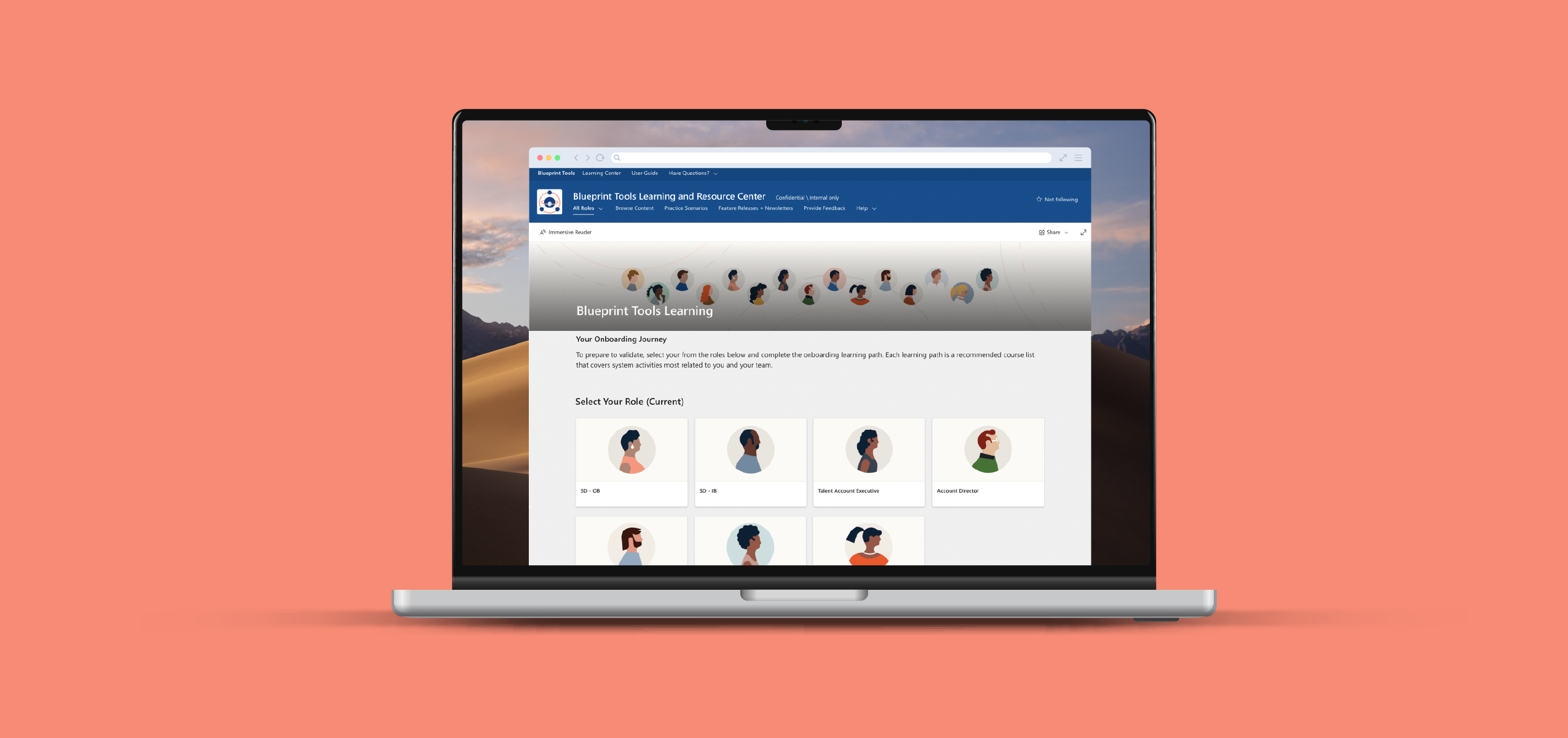
Header Image

The Problem

LinkedIn's migration from Salesforce to Microsoft Dynamics was the first CRM migration at this scale in the company's history. 8,000+ global sales employees across dozens of roles, regions, and segments had no centralized place to learn the new system and no infrastructure that could keep pace with constantly shifting tools and roles.

Context

  • Senior IC, UX and creative lead embedded in Global Sales Ops
  • First CRM migration at this scale in LinkedIn's or Microsoft's history
  • Cross-functional team spanning internal tools, Microsoft, content, and sales readiness

Constraints

  • Enterprise security requirements severely limited platform options
  • Roles, tools, and rollout schedules shifted continuously throughout the project
  • Hub architecture required VP-level approval and sign-off from both Microsoft and internal IT

Results

  • Launched 200+ page portal on time and under budget
  • Reduced help tickets by 40%, beating ingternal projections
  • Second most-visited internal site out of 100+ at LinkedIn for over two years

Part 1

Background

To support this migration, Global Sales Ops sought to create a centralized support center for Dynamics and their suite of home-grown sales tools. Some tools were well-established, others were being built and customized.
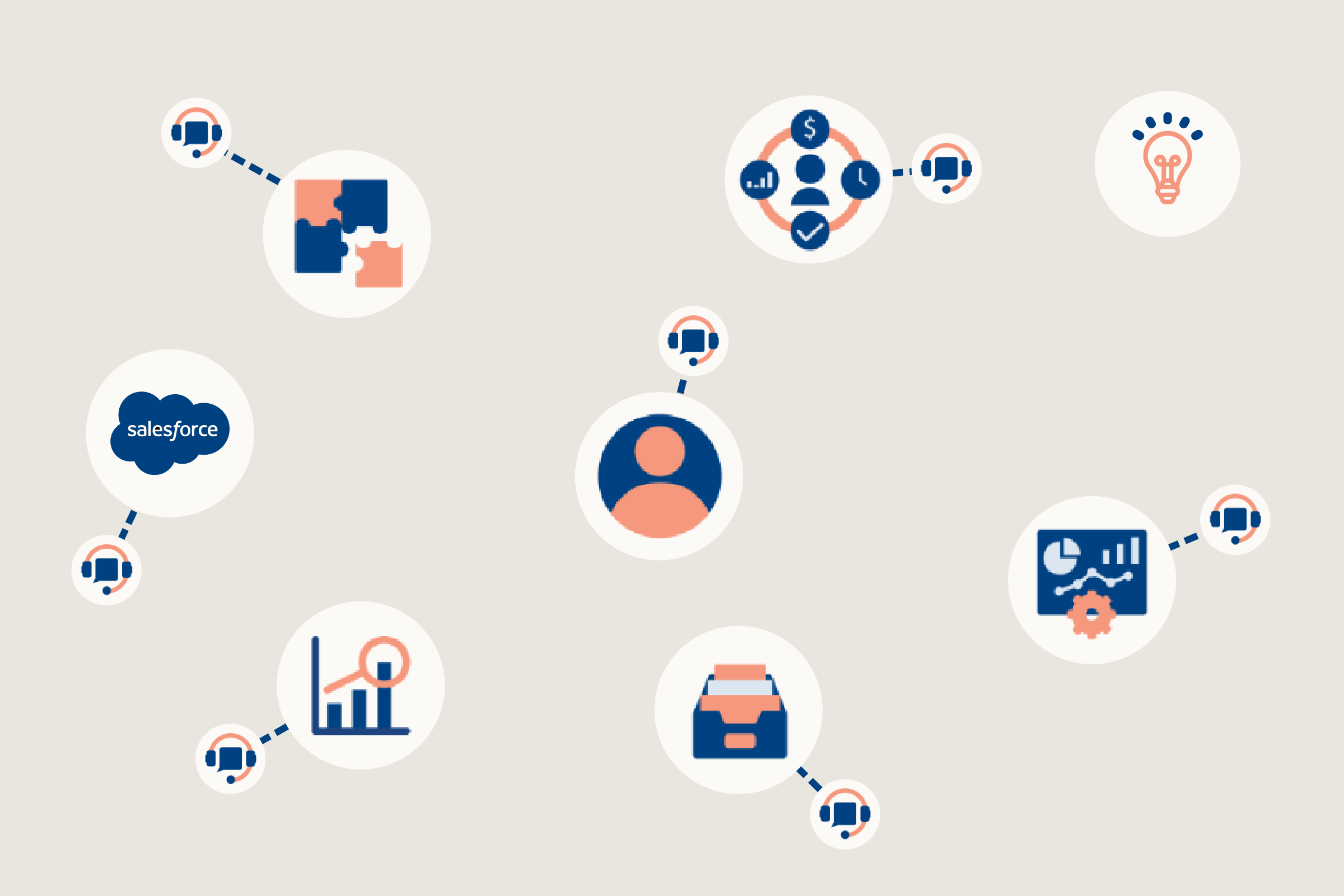
Before
  • Scattered and inconsistent learning experience across the tools.
  • Difficult to navigate, find and share the information you needed to complete your work.
  • Tools separate from other core pillars of the sales ecosystem
  • Cludgey, difficult to update authoring system meant content was often wrong or out of date.
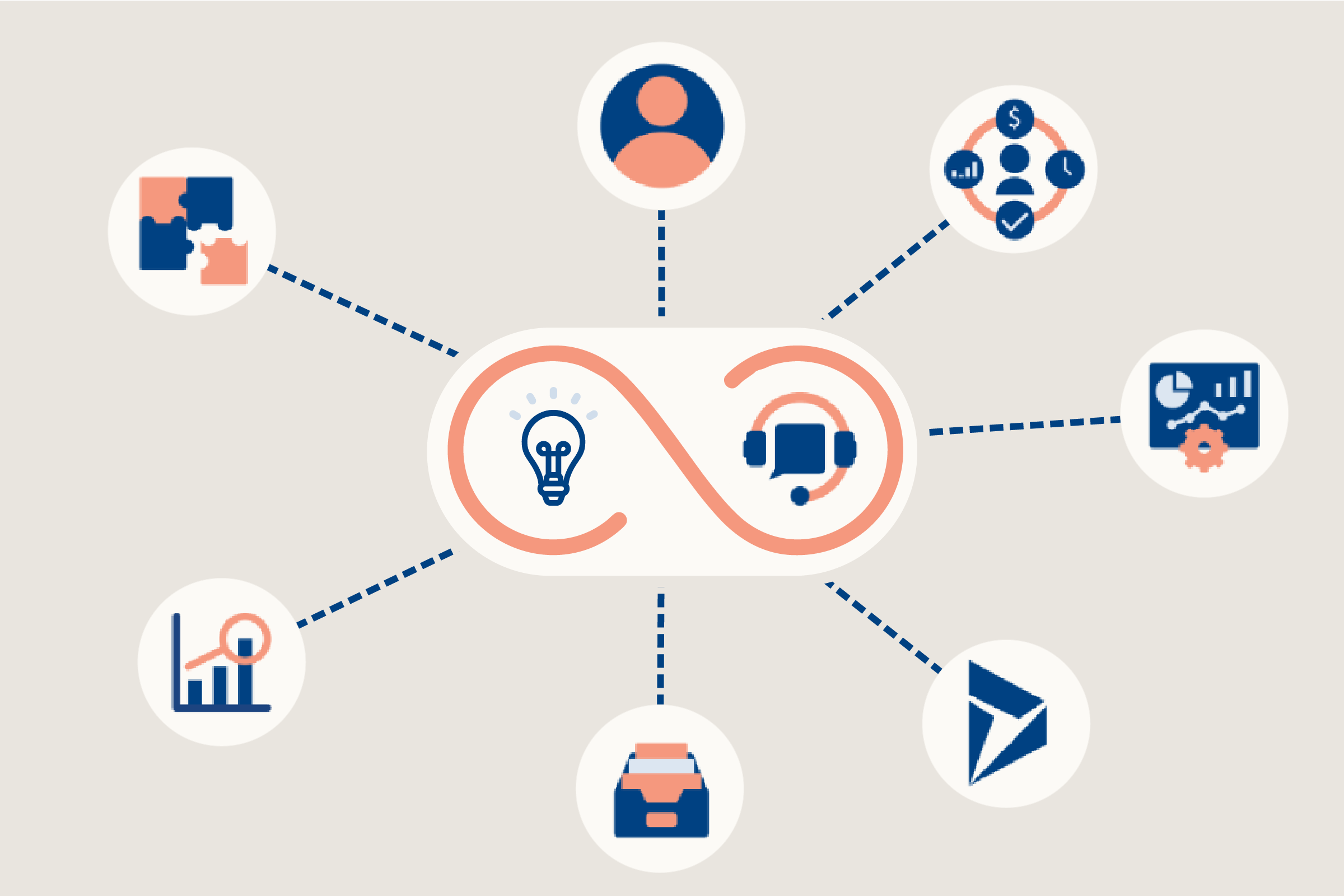
After
  • Consistent and centralized tool help & onboarding center for new hires
  • Easy to find, easy to navigate, easy to share hub for new hires and seasoned sales.
  • Tools, methodology and methodology interwoven
  • Scaleable design and architecture that was easy to update and maintain

Audience, Goals & Requirements

This project affected the entire global salesforce. Each line of business, role and region had their own nuanced needs, requirements and rollout schedule.

Business Requirements
  • Ensure minimal disruption to workflow
  • Create flows that onboarded users quickly and kept managers accountable
  • Decrease help tickets
  • Support the launch of a unified sales process, methodology and tool suite
User Needs
  • New Users:  Thoughtful and guided walkthrough of sales systems and tools
  • Seasoned.  Easy to navigate, easy to share, role-specific reference guide for our suite of sales tools.
  • Global. Get in, get out and get back to work as quickly as possible
Internal Goals
  • Create easy to use, easy to update authoring system for content developers
  • Create a cohesive and recognizable brand experience
  • Establish a scaleable and logical information hierarchy

Responsibilities & Partnerships

⦿

Every design decision was mine.

⦿

Cross-functional Partnerships. With such a large undertaking, we needed to ensure all teams were aligned and heard. User Research, Internal Tools, content authors, multimedia designers; Dynamics tools team; Microsoft Sharepoint teams, instructional designers; Sales Ops; sales readiness.

⦿

Technology Advocate.  As the UX & UI lead, I needed to ensure that our authoring platform was feasible, scaleable, and long lasting. I interviewed multiple teams, tested multiple platforms and worked with external vendors to develop a recommendation

⦿

Creative Direction. Once launched the site would be expanded and updated by a variety of content authors, multimedia designers, technical writers and vendors. A strong creative vision needed to be established.
PART 2

Research, Test, Validate and Iterate

User Testing

I collaborated with User Research to conduct several rounds of user testing.  We ensured each group consisted of a diverse cross-section of roles, region, segment, and seniority.  We used these sessions to understand their preferred learning methods and to test out different designs.

Actionable Insights

  • Users were equally split between video and text about how they preferred their systems training.
  • Outside of work, users discovered a lot of their training from YouTube searches
  • Users didn't think that Process was central to their ability to complete their job
  • Users were technologically savvy and could identify their own paths. They didn’t need things spoon-fed to them.

Technology Explorations

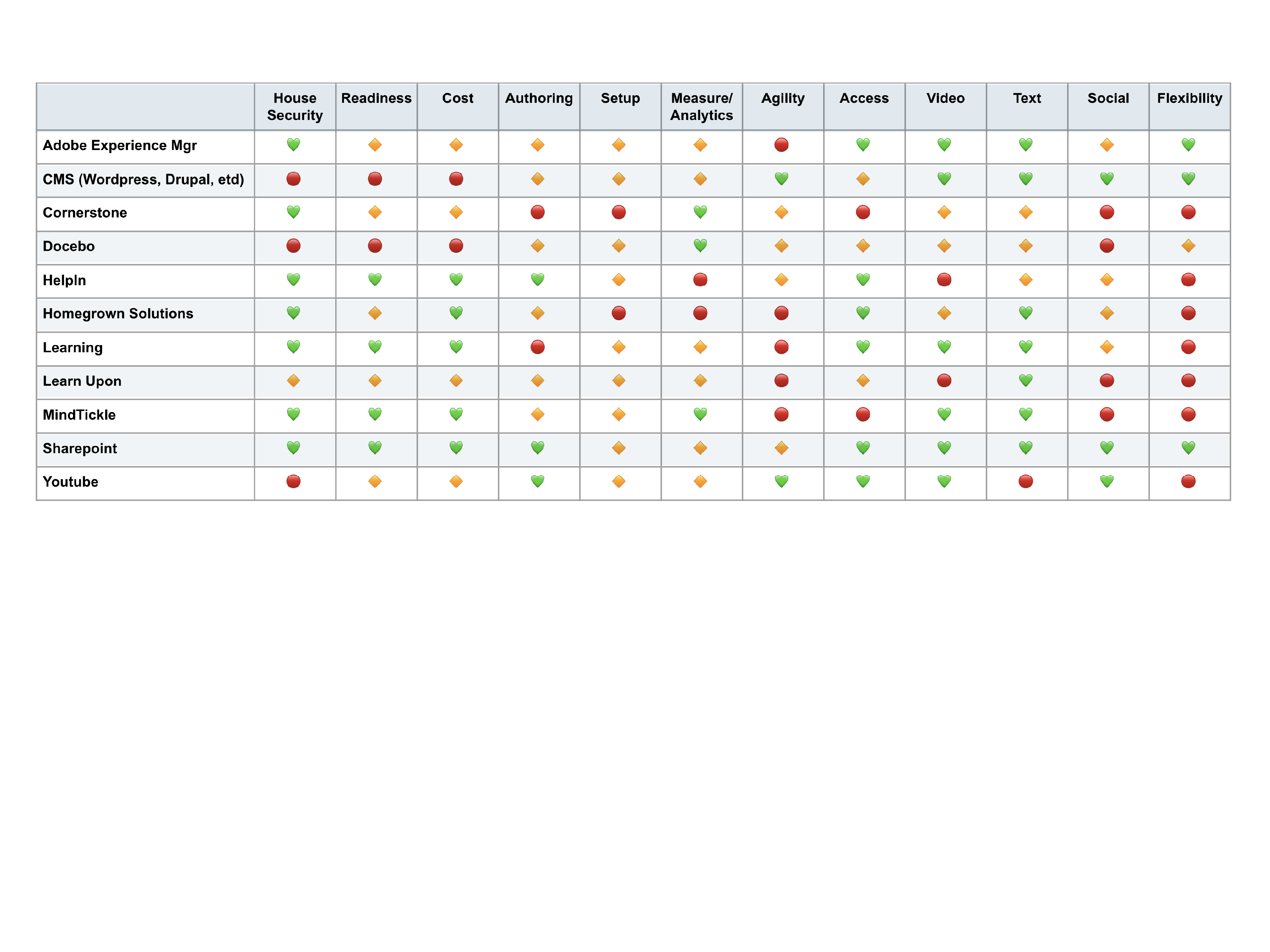
I researched, tested and vetted a variety of homegrown and off the shelf platforms to create my recommendation.

Actionable Insights

  • Most platforms didn’t meet house security. The ones that did would take up to six months to get approved.
  • No single platform provided guided onboarding, testing, and just-in-time learning
  • Homegrown platforms were either too rigid, difficult to administer, or did not have the functionality we needed
  • Off-the-shelf options took too long to set-up, required an investment that was impractical to procure

No single platform solved every requirement. The solution was a combination.
Align & Pivot with Business Requirements

Role definitions, product readiness, leadership goals and roll out strategy were consistently shifting and evolving.  

As the owner of the GTM sites, it was essential that I stay on top of each aspect, understand the changes, weigh their implications, then adjust my strategy.

Actionable Insights

  • Tools and roles were shifting constantly & needed a nimble solution
  • Tools needed to integrate with sales process, methodology and competencies
  • Despite the changes, we needed to honor our launch deadlines

PART 3

Platform, Infrastructure and Flow

With a thorough understanding of the users, the technological landscape, and a grasp of the business plan, I presented my recommendation to Senior LT.  We landed on a multi-platform approach that consisted of a Sharepoint Hub for onboarding and help guide,  WalkMe for help tickets, and MindTickle for testing.

Though it was not perfect, this solution checked enough of our boxes:

  • It worked with the LinkedIn Sales Tool ecosystem
  • Was familiar to the user and matched their individual work styles
  • Enabled guided onboarding, just-in-time learning, discoverability and peer-to-peer sharing
  • Once set-up, it was easy to scale, author, update and adapt

To ensure consistency of experience and that we achieved our business goals, we needed to apply a System Design methodology to our approach.

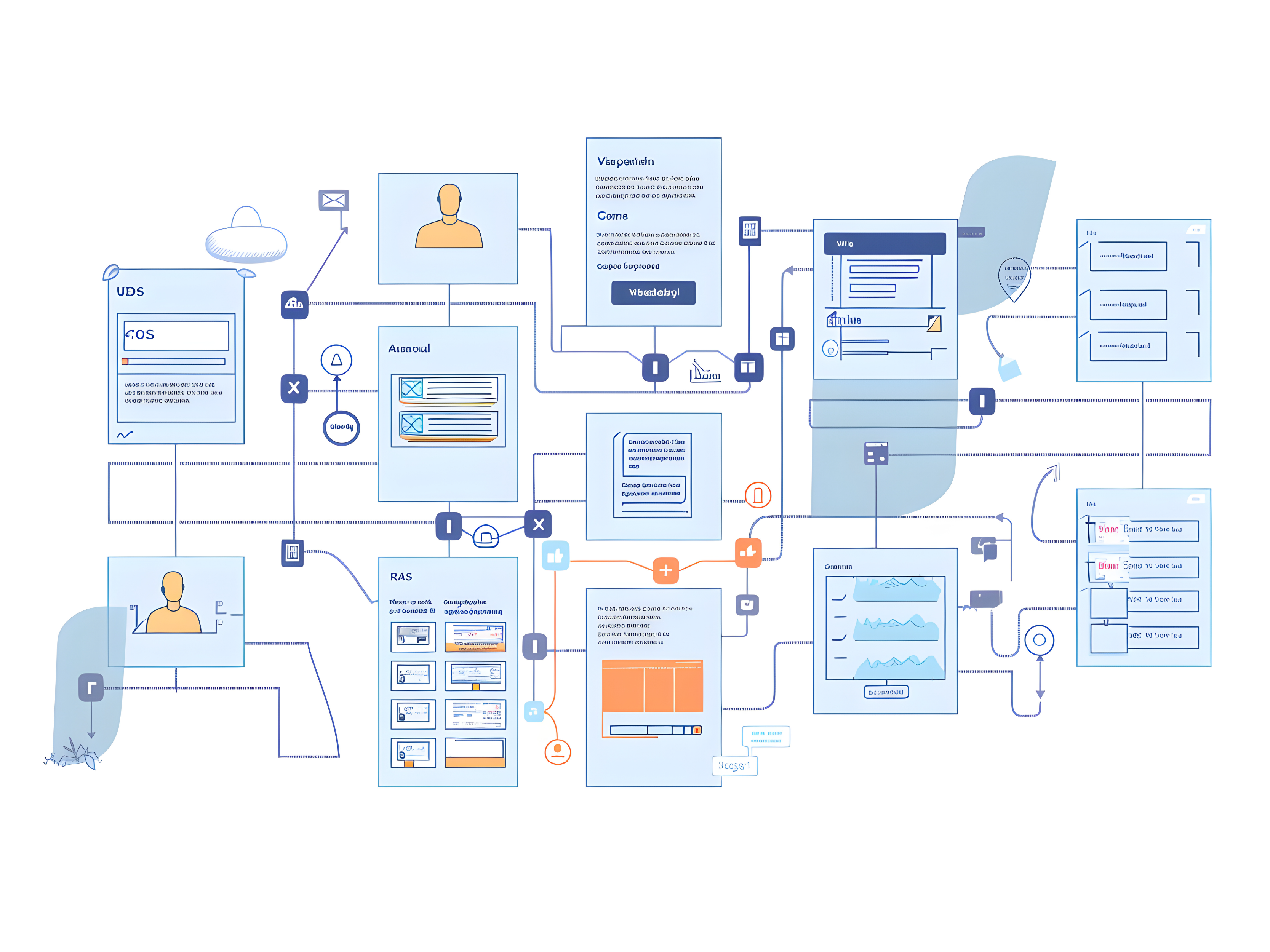
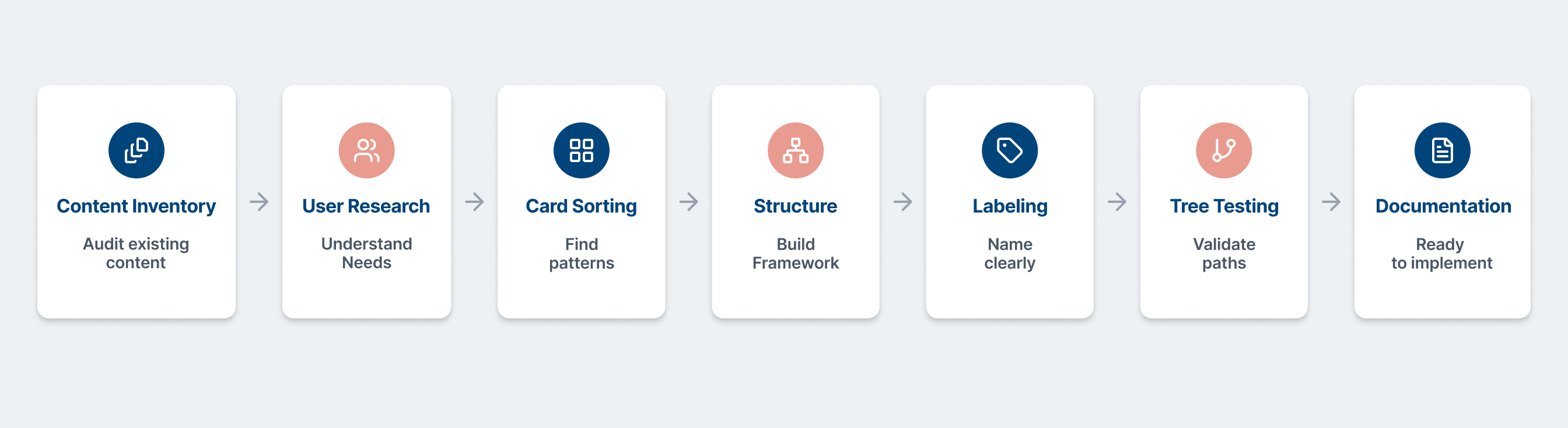
Information Architecture Step-by-step

With so many roles, so much content, and so many cross-functional dependencies, we needed to ensure the foundational structure was sound. We iterated through this process several times until final launch.
Complementary Portal Framework

Sharepoint’s design limitations defined how we structured and parsed the content. Instead of trying to push the platform into behaving in a way it wasn’t intended, we played to its strengths.  I negotiated a rare hub structure with Microsoft which unlocked more advanced features. A lack of traditional CMS functionality created additional challenges. I designed a highly-structured labeling and naming to make it easy for content creators to navigate, designers to build, and strategists to plan.

The platform's remaining limitations drove the design rather than blocking it.
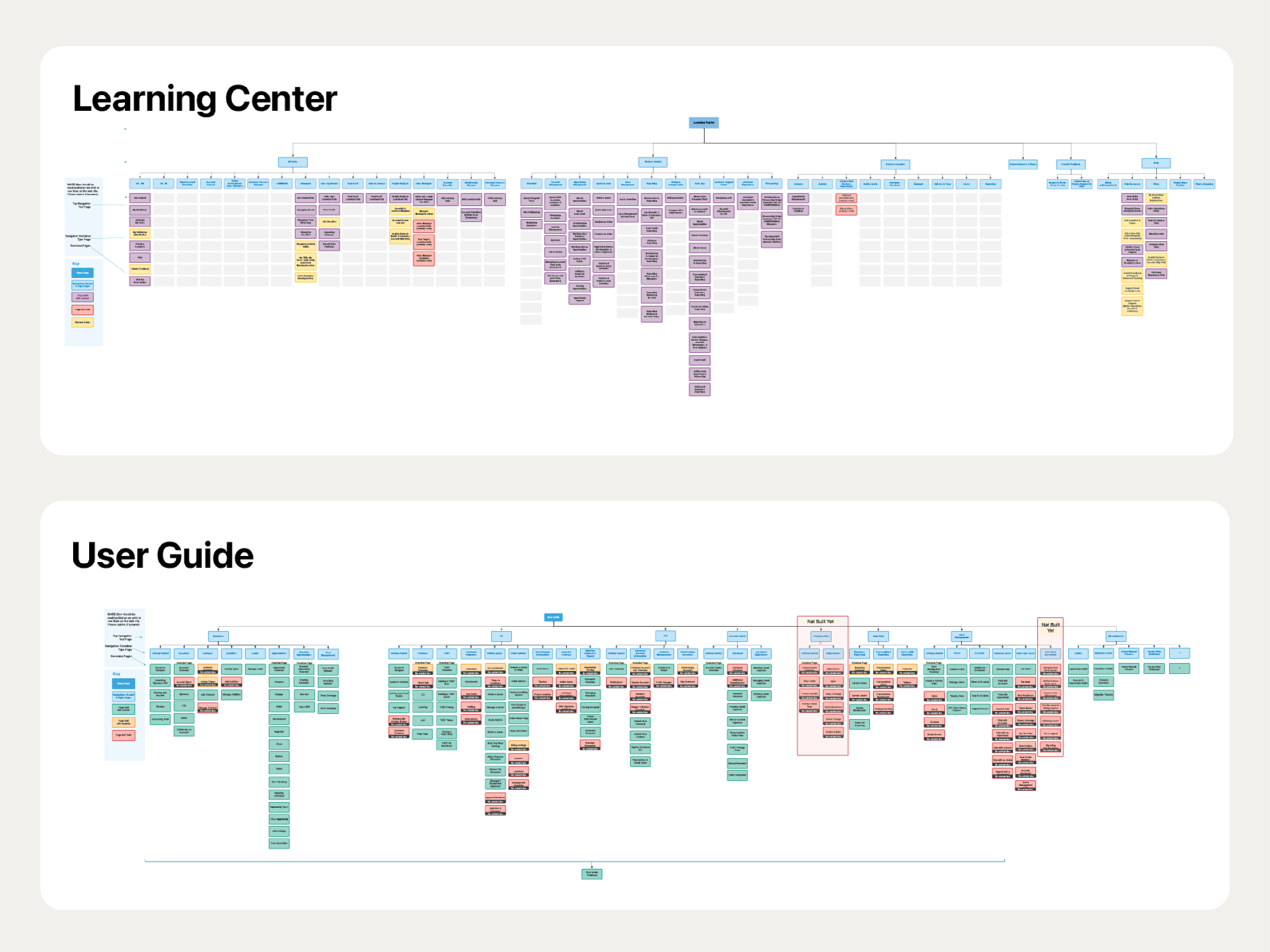
The Learning Center
  • The Learning Center guided new hires and transfers through role responsibilities, key concepts and core methodologies

The User Guide

The User Guide provided support for our two core users:

  • Just in time, easy-to-access instructions for veteran users to discover how-tos.
  • Step-by-step instructions to complement Learning Center content for our new hires.

Overlapping Journeys

To ensure minimal versioning issues and consistency, we architected the User Guide and Learning Center to intersect seamlessly. With roles and features changing constantly, there was a heavy concern about versioning. We designed a solution that was flexible yet stable.
User Journeys
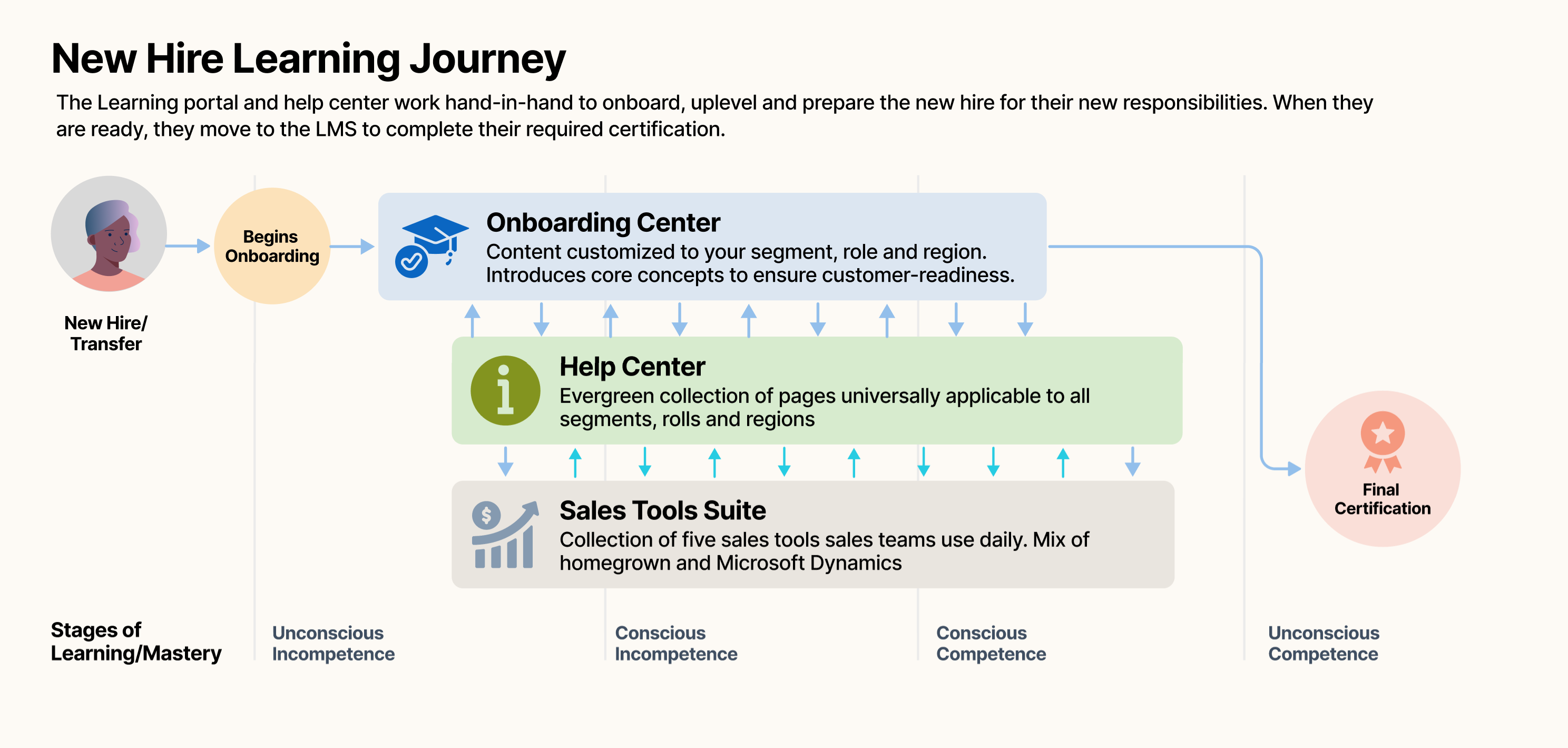
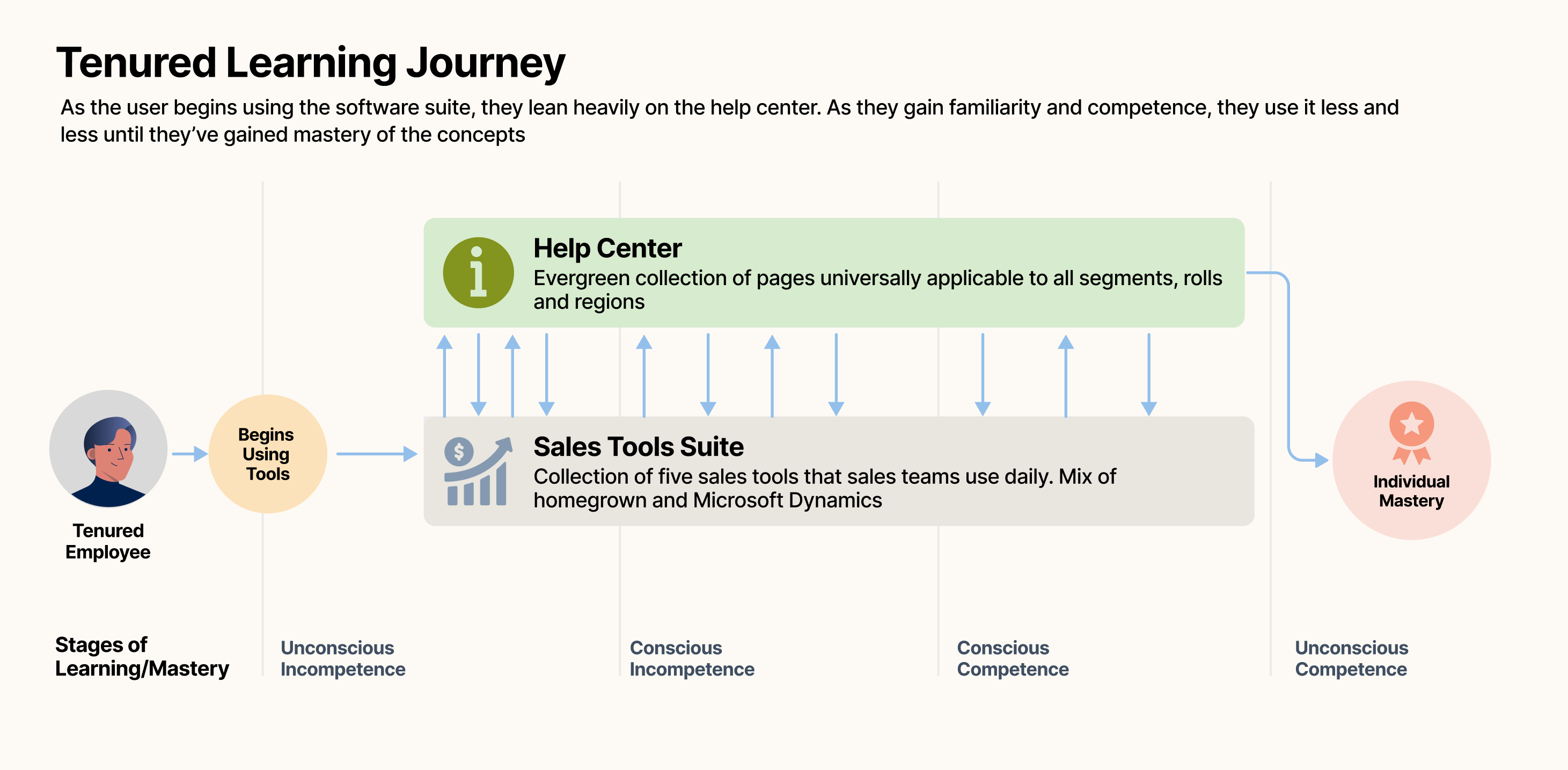
Although the sites served dozens of roles and needs, we simplified the user journeys into three core flows:
  • Onboarding: I am new to my role, I want to be guided through the tools and the process. I need to learn, explore and certify my knowledge
  • Role Transfer:  I recently changed roles. Some stuff has changed, some stuff is the same, some stuff is totally new. I don't know what I don't know and I'm uncomfortable.
  • Tenured: I am actively in seat, I know what I want to do, I just don't know how to do it. I need to get in and out as quickly as possible.

PART 4

Desktop Design

The strength of the program was its consistency across multiple platforms. Wherever possible we injected design, illustration, and visual breadcrumbs that the user would experience whenever they were within the suite of sites.

Gateways

  • We provided multiple gateways for different users to engage with the content.
  • Wherever possible we injected illustration avatars, icons, palette and other visual cues to reinforce context.
  • Graphics communicated line of business, role and topic. We ensured that these were used throughout the LinkedIn Sales Ecosystem.
  • Scaleable design and architecture that was easy to update and maintain

Onboarding Paths

  • We provided a consistent path and gateway for new hires and users new to their role.
  • Site pages interacted with User Guide
  • Color, iconography and structure added meaning and lessened cognitive load
  • Paths linked into sandboxes, testing and user guides

Deep Body Page Design

  • We consistently structured each page to minimize cognitive load for users.  They would always find the same experience throughout the sites.
  • Pages combined text, video and illustrations to meet the needs of each type of user.
  • Anchored sections allowed for easier parsing, linking and and social learning sharing

PART 5

Learnings & Results

Learnings

⦿

Ask the 'why' beneath the why. Sales Ops asked for a support center. The real ask underneath was fewer help tickets and faster ramp, not more content. That distinction is what shaped the three flows instead of a generic knowledge base.

⦿

Push but Respect the Limits.  Sharepoint's lack of native CMS tooling could have blocked the project outright. Understanding exactly where that limit sat is what made the Microsoft negotiation possible. I wasn't asking for everything, just the specific structure the constraint allowed.

⦿

Soft Hands. Roles, tools, and rollout dates kept changing throughout the project. Grounding the IA in behavior (Onboarding / Role Transfer / Tenured) instead of specific tools meant the structure absorbed those changes without needing a redesign each time something shifted.

Results

⦿

Reduced Support Tickets by 40%. No CRM migration at this scale had been attempted before, so there was no baseline. The number was built on projections. We beat them.

⦿

Exceptional Traffic. This hub was the second-most trafficked and utilized internal site for over two years.

⦿

Growth and Consistency. As new lines of businesses adopted the platform, new roles created and new features released, the site continued to grow and evolve. The structure held.